Accessories and optional products
Working with the Allen & Heath CQ-20B
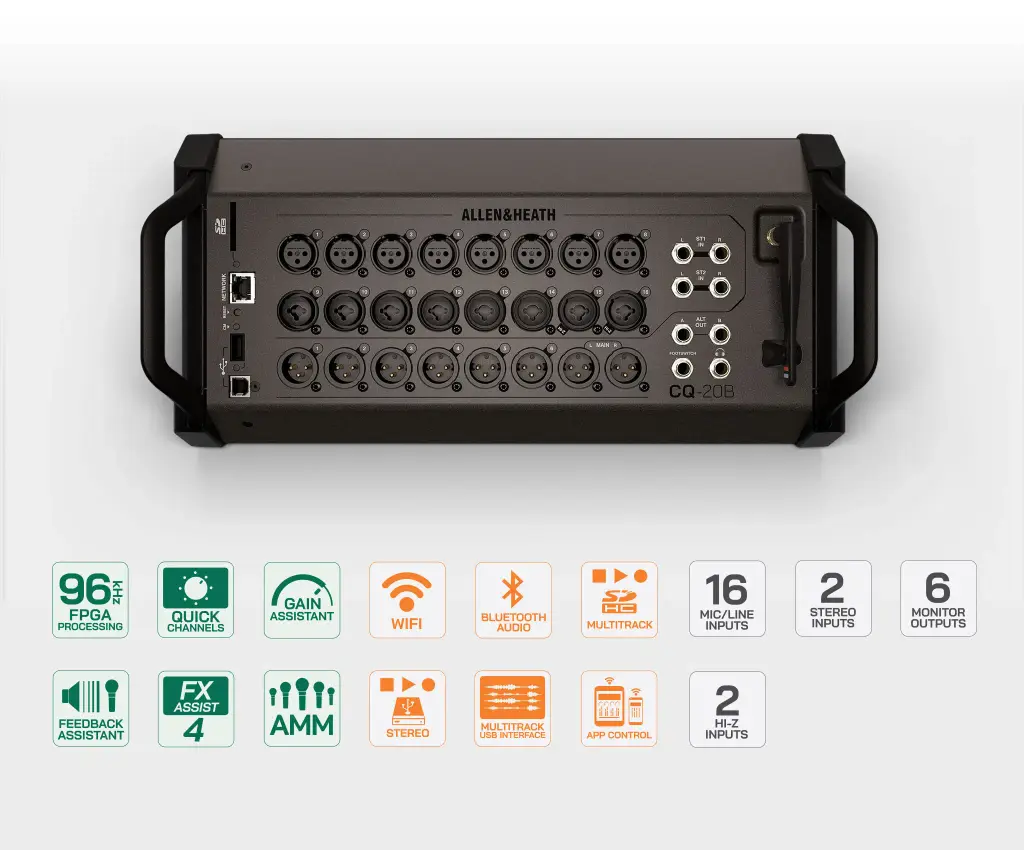
Place the mixer with the stage connections and control the show from a separate device. This app-operated format suits systems where a dedicated mixing surface would take up useful space.
Control the mix from your preferred position
Plan for a compatible control device as part of the system: mix adjustments are made remotely rather than on a local touchscreen. CQ MixPad can connect through the integrated wireless access point or a wired network. This lets the mixer stay near the sources while the operator checks the sound elsewhere.
Build the mix around the sources
With the audio connections at the stage, prepare channel processing from the control app. Source-optimised presets provide a starting point, with detailed equalisation and dynamics available for further work. The Hi-Z input option is relevant when planning direct instrument connections. Confirm each source and its connection requirements before building the input list.
Plan the recording workflow
Keeping the mixer by the performers does not require a recording computer in the same position. The onboard SD recorder can capture a multitrack session locally, while USB-B connects the mixer to a computer when a DAW is part of the setup. Stereo USB and Bluetooth playback cover separate programme-source requirements.
Keep performer monitoring in the system plan
Include both operator control and performer access in the network plan. CQ4You can give performers control of their monitor mix from compatible mobile devices, while the engineer manages the wider setup. The auxiliary outputs provide separate feeds for the monitoring system. Check the complete signal path from those outputs to the listening equipment.