Accessories and optional products
Working with the Allen & Heath CQ-18T
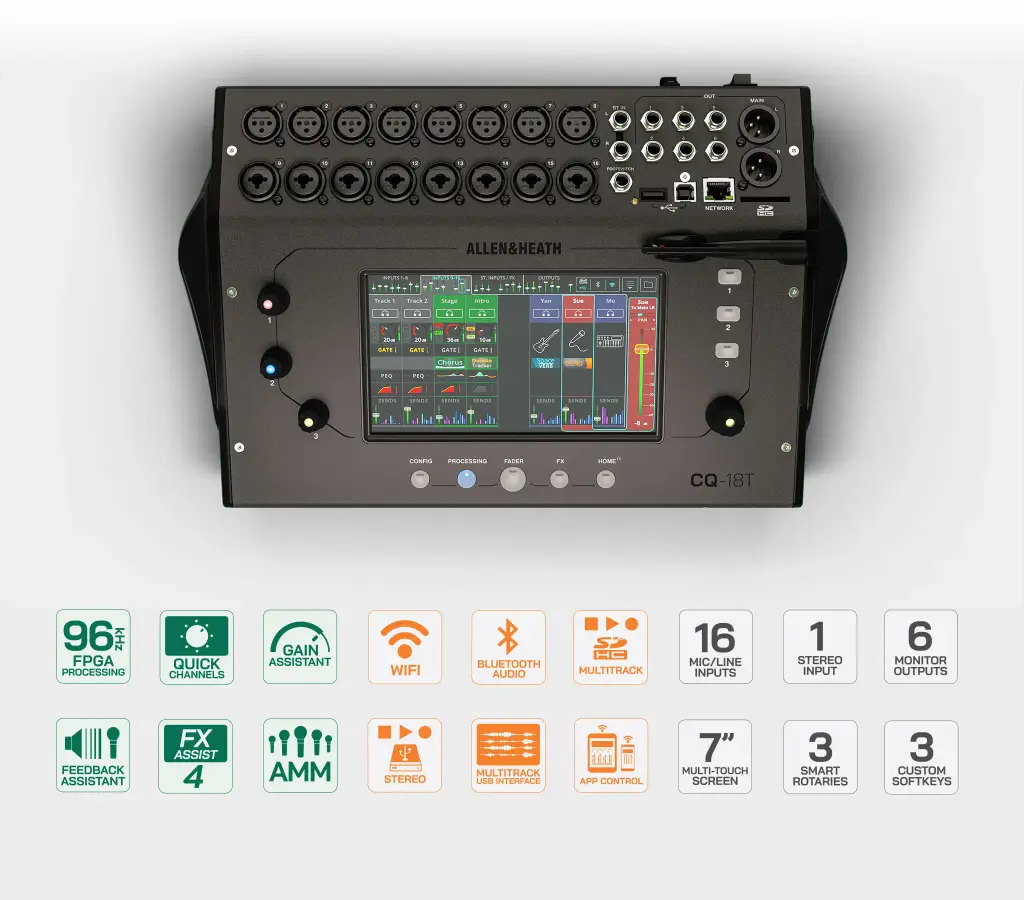
Keep the mixing position close to the operator without building the system around a large console. This compact desktop format brings local control, stage connections and recording into the same unit.
Control the mix from your preferred position
Use the touchscreen when working beside the mixer, then move into the room with CQ MixPad to assess the balance from the audience area. The integrated wireless access point supports direct remote operation, while Ethernet provides another connection option. Choose the control arrangement to suit the venue and operator position.
Build the mix around the sources
Start with source-specific channel presets when the priority is getting microphones and instruments into the mix. Move into detailed channel processing when the programme needs closer adjustment. Automatic gain assistance and feedback suppression support this workflow, but microphone placement, loudspeaker positioning and a proper soundcheck still deserve attention.
Plan the recording workflow
Choose the recording route around the job. A computer connection supports a DAW-based workflow, while the SD recorder keeps multitrack capture within the mixer. Stereo USB recording provides a simpler reference mix, and Bluetooth playback offers a separate way to bring in programme material. Check media compatibility before the event.
Keep performer monitoring in the system plan
Treat the main audience mix and performer monitoring as separate requirements when planning the system. Auxiliary mixes provide the starting point for individual monitor feeds, and CQ4You supports personal monitor control from compatible mobile devices. Confirm the output cabling and wireless setup alongside the input list before putting the mixer into service.